
If you are someone who wants to start drawing digital art like crazy, but don’t know which software to use? This is perfect for you then! Hi, I’m Ennea, and welcome to my blog! Today we will be going over which PC softwares are best for drawing while also showing how much they cost. I will mention features, brushes, and probably most important, pricing!
Krita
Krita is a free and open-source digital painting software designed for illustrations, animation, and graphic design. Here’s a detailed overview of Krita’s key features.
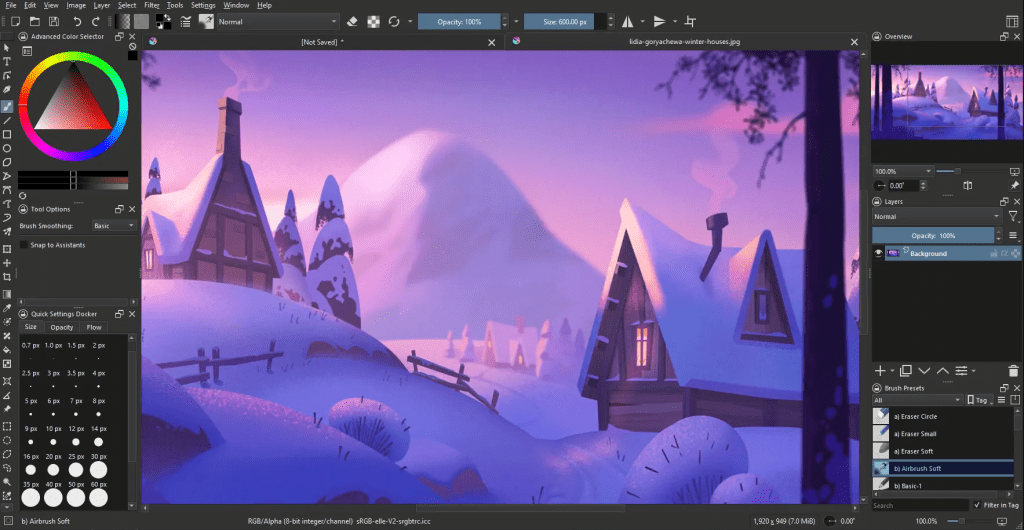
- Brushes and Brush Engines: Krita provides a wide variety of brushes, including pixel brushes, vector brushes, texture brushes, and more. Its brush engines allow for extensive customization, enabling artists to adjust brush properties such as size, opacity, flow, and texture.
- Layer Management: Krita supports multiple layers, allowing artists to work non-destructively by organizing elements of their artwork on separate layers. Users can create, group, merge, and rearrange layers as needed.
- Drawing and Painting Tools: It offers a range of drawing and painting tools such as pencils, pens, brushes, erasers, smudge tools, and fill tools. You can work with different blending modes and opacity settings to achieve desired effects.
- Vector Graphics Support: In addition to raster-based painting, Krita supports vector graphics editing with tools for creating shapes, paths, and vector layers. This makes it suitable for creating scalable artwork and illustrations.
- Animation Tools: Krita includes animation features, allowing users to create frame-based animations, storyboard sequences, and timeline-based animations. You can work with keyframes, onion skinning, and animation previews!
- Filters and Effects: It offers a range of filters, effects, and adjustments for enhancing and manipulating artwork. Users can apply filters for blur, sharpen, distort, noise reduction, color adjustment, and so much more.
- Integration and Compatibility: Krita supports popular file formats such as PSD, SVG, PNG, JPEG, and GIF, ensuring compatibility with other software and workflows. It also integrates with tablets and digital pen devices for pressure sensitivity and stylus support.
Overall, Krita is a versatile and powerful digital painting software with a very user-friendly interface, extensive customization options, and a vibrant community of users and developers contributing to its ongoing development and improvement, since it’s open source! Best of all, it’s FREE! So if you are on a budget, definitely use it.
MediBang Paint
MediBang Paint is a free digital painting and comic creation software suitable for artists, manga & webtoon creators, and illustrators.
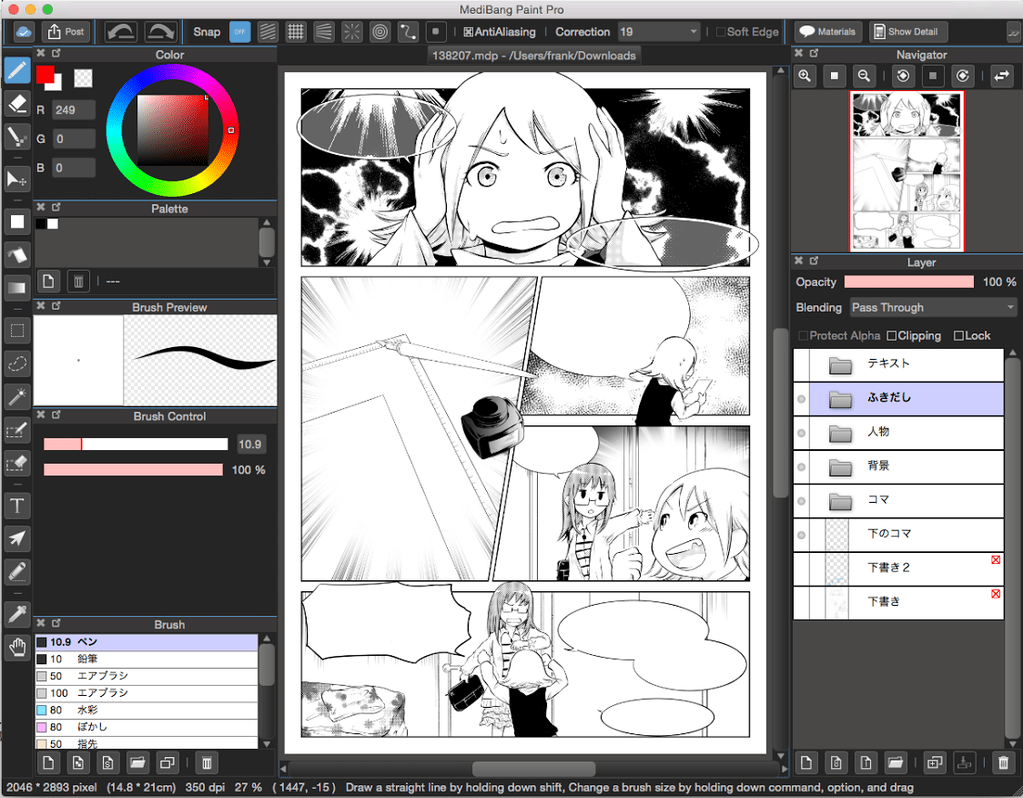
- Brushes and Tools: MediBang Paint offers a variety of brushes and tools for digital painting, including pens, pencils, airbrushes, watercolor brushes, and more. These tools can be customized with different settings such as size, opacity, and blending modes. Not as many tools as Krita, but definitely a good amount.
- Comic Creation Tools: It provides specialized tools for creating comics and manga, such as panel creation tools, speech bubble tools, screen tones, and comic templates. Users can easily create comic pages and layouts within the software easily.
- Layer Management: Similar to professional drawing software, MediBang Paint supports multiple layers for organizing artwork elements. Users can create, rearrange, merge, and adjust layer properties to work non-destructively.
- Text and Font Support: The software includes text tools for adding dialogue, captions, and titles to artwork. It supports various fonts, text styles, and editing options for typography!
- Cloud Sync and Collaboration: MediBang Paint offers cloud storage and synchronization, allowing users to access their artwork across multiple devices. It also supports collaboration features, enabling artists to work on projects together in real-time! Wow!
- Export and Sharing: Users can export their artwork in various formats such as PNG, JPEG, PSD, and BMP. The software also provides options for sharing artwork directly to social media platforms or online galleries. Very useful!
In the end, MediBang Paint is a user-friendly and feature-rich software that caters to the needs of mostly comic creators. Its comic-centric tools, cloud integration, and collaborative features make it a popular choice for creating comics or webtoons.
Autodesk Sketchbook
This section will be short since I don’t have much to say on Autodesk. It is an industry level software although it doesn’t offer much more or anything widely different than the ones we have talked about already for beginners. Autodesk Sketchbook offers both free and paid subscription plans.

- Free Version: The free version of Autodesk SketchBook provides access to a wide range of drawing and painting tools, layer management, brush customization, and basic features. It is suitable for casual artists, hobbyists, and beginners who want to explore digital art without any cost.
- SketchBook Pro: This plan is typically priced on an annual basis and provides access to additional features such as more brushes and brush sets, advanced brush customization options, expanded layer capabilities, rulers and guides, perspective tools, and Flipbook animation features. It is $5 a month and $30 annually!
- SketchBook Enterprise: Designed for professionals and businesses, this plan includes all the features of SketchBook Pro along with additional tools for collaborative work, cloud storage, team management, and advanced support options.
I personally would not recommend paying for it if you are just a hobbyist or a small artist like I am. But I have tested in the past and it works fine.
Adobe Photoshop
Adobe Photoshop is a popular digital image editing software used by photographers, graphic designers, artists, and professionals across various industries.
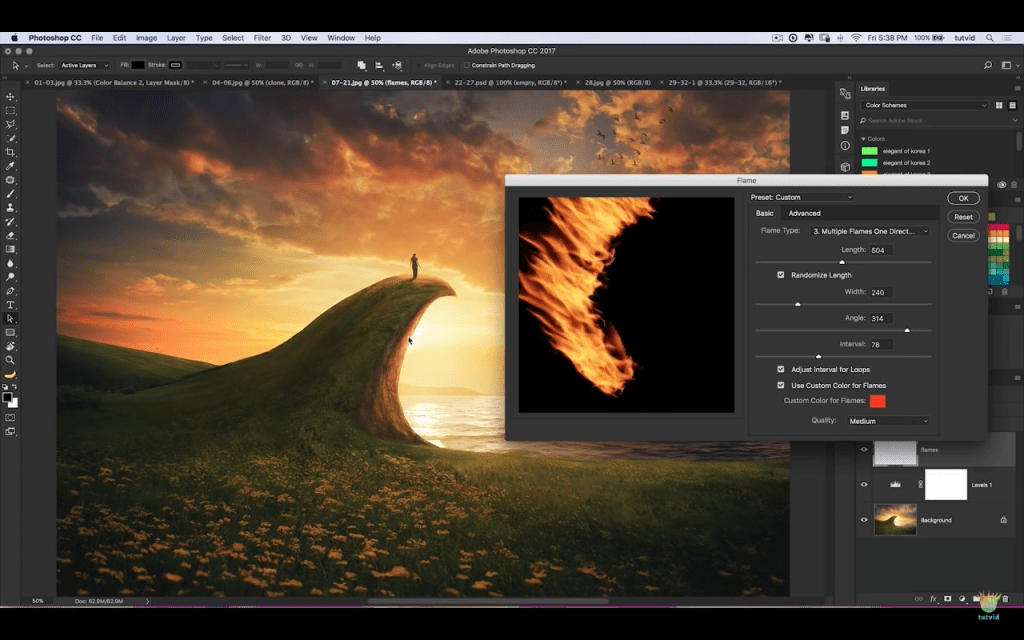
- Image Editing: Photoshop offers a lot of tools and features for editing images, including cropping, resizing, retouching, color correction, and exposure adjustment. Users can remove blemishes, enhance colors, and manipulate images with precision.
2. Brushes and Painting Tools: Photoshop provides a diverse set of brushes and painting tools for digital artists, including customizable brushes, brush presets, blending modes, and brush dynamics. Artists can create realistic paintings, illustrations, and digital artwork using these tools.
3. Typography and Text Effects: The software includes tools for adding and formatting text, creating typographic designs, and applying text effects such as shadows, gradients, and outlines. Users can work with custom fonts, styles, and text properties.
4. 3D and Motion Graphics: Probably the coolest thing it has, it has capabilities for working with 3D objects, textures, and materials, making it suitable for creating 3D designs, mockups, and illustrations. Photoshop also supports video editing and animation features for creating motion graphics.
5. Integration and Compatibility: Photoshop integrates seamlessly with other Adobe Creative Cloud apps such as Illustrator, InDesign, and Lightroom. It supports various file formats including PSD, JPEG, PNG, TIFF, and PDF, ensuring compatibility with different workflows and platforms.
Last let’s talk about its pricing. Adobe Photoshop is available through Adobe’s Creative Cloud subscription model, which is pretty expensive for someone who is just doing art as a hobby.
- Individual Plan
- Photoshop Single App: Approximately $10 per month
- Includes Photoshop, Lightroom, Lightroom Classic, and 20GB of cloud storage
- Individual Plan (All Apps):
- Approximately $53 per month
- Includes Photoshop and the entire Adobe Creative Cloud suite of apps such as Illustrator, InDesign, Premiere Pro, After Effects, and more.
- Students and Teachers Plan:
- Approximately $20 per month for the first year, then $30 per month afterward
- Includes Photoshop and the entire Adobe Creative Cloud suite at a discounted rate for students and teachers.
Please note that these prices are approximate and may vary based on promotions, currency exchange rates, and regional pricing differences. Adobe often offers discounts and promotions, especially for new subscribers or during promotional periods. It’s recommended to visit the official Adobe website or contact Adobe directly for the most accurate and up-to-date pricing information.

Clip Studio Paint
The last one I will discuss today is my personal favorite, which I use daily and have been using for 4 years now. Clip Studio Paint is a popular digital art software known for its versatility and suitability for manga, comics, illustrations, animation, and digital painting. It is like the better and cheaper version of Adobe Photoshop. If you are a small artist or designer who wants to get more serious, this is definitely for you.
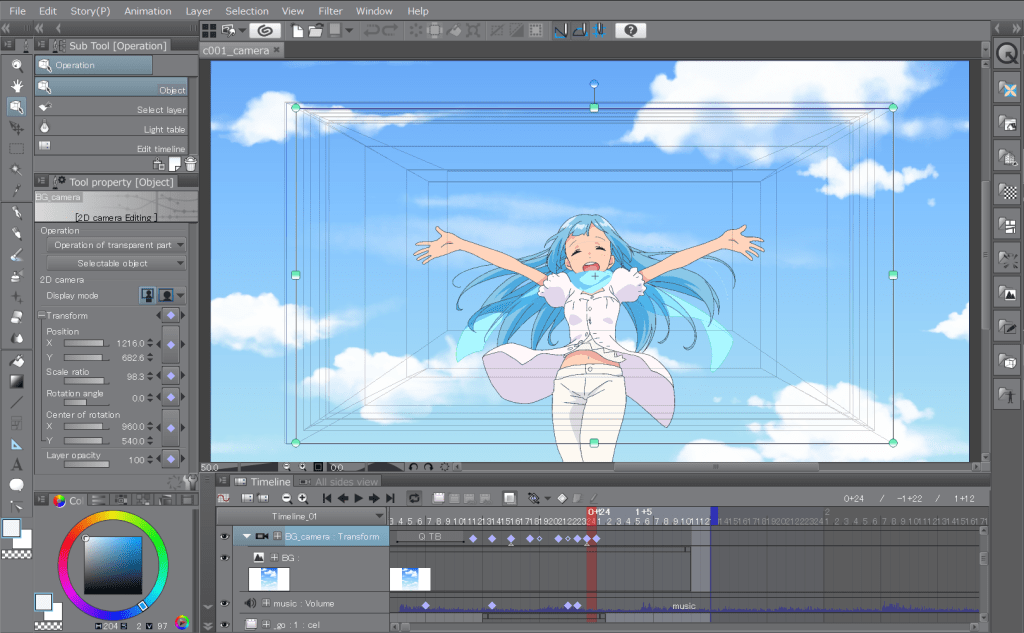
- Drawing and Painting Tools: Clip Studio Paint provides a wide range of brushes, pens, pencils, and other drawing tools suitable for various art styles.
- Advanced Brush Customization: The software allows users to customize brushes extensively, including brush size, opacity, pressure sensitivity, blending modes, and texture settings. Artists can create custom brushes or modify existing ones to suit their artistic style.
- Vector and Raster Capabilities: The software supports both vector and raster graphics, allowing users to work with scalable vector lines and detailed raster artwork within the same project. This flexibility is beneficial for creating intricate designs and illustrations.
- Comic and Manga Creation: CSP offers specialized tools for comic and manga creation, such as panel creation tools, speech bubble tools, screen tones, and comic templates. Artists can create comic pages, layouts, and storytelling sequences efficiently.
- Animation Tools: It includes features for creating frame-by-frame animations, animations with timeline-based editing, and camera movements. Users can add motion to their illustrations and create animated sequences directly within the software on an industry level.
- 3D Models and Materials: This helped me a lot in improving my anatomy. It includes 3D modeling tools and pre-built 3D models that artists can use as references or integrate into their artwork. Additionally, CSP offers a library of materials such as backgrounds, textures, and screen tones.
- Compatibility and Export Options: The software supports various file formats, including PSD, JPEG, PNG, TIFF, and SVG. Users can export their artwork in high resolution for printing or sharing online, and the software is compatible with other design and illustration software as well.
The CSP Community App that comes with CSP when downloading will be your saving grace. You can download thousands if not millions of materials, brushes, and presets that others make. You can also upload your own. The reddit forum is often helpful and vast with any tips and fixes that you might need. Although the best part about Clip Studio is how flexible you can be with how you buy it.
Clip Studio Paint offers two main versions: Clip Studio Paint Pro and Clip Studio Paint EX. Both have their extra capabilities to the free version and you can check the website for comparisons to see which one fits your needs. Best thing is you can always upgrade easily. EX Version is the best one with every single feature that CSP can offer.
Clip Studio Paint Pro:
- One-time payment: Approximately $50 (USD) for a perpetual license
- Monthly subscription: Approximately $5 per month
- Annual subscription: Approximately $25 per year
Clip Studio Paint EX:
- One-time payment: Approximately $219.00 (USD) for a perpetual license
- Monthly subscription: Approximately $9 per month
- Annual subscription: Approximately $72 per year
They go on sale so often that I didn’t even pay the $200 for my license. So you can always find a discount on their store! I believe everyone should be using Clip Studio, and this article was mainly my excuse to gush about it and prepare you for all the tutorials, tips, tricks, and more that I will write about.
Thank you for reading! I hope this article helps you decide on what PC software to use for your art journey! Good luck, let’s make some wonderful art and show it to the world. Have a wonderful day my loves.
 Ennea's Blog
Leave a comment